Case timelines
A box of records in. A cited medical chronology out.
Brennick builds the medical chronology and the wider case timeline from the whole file, and flags treatment gaps and missing records with the page that shows them. Your attorney approves it before it can be exported.
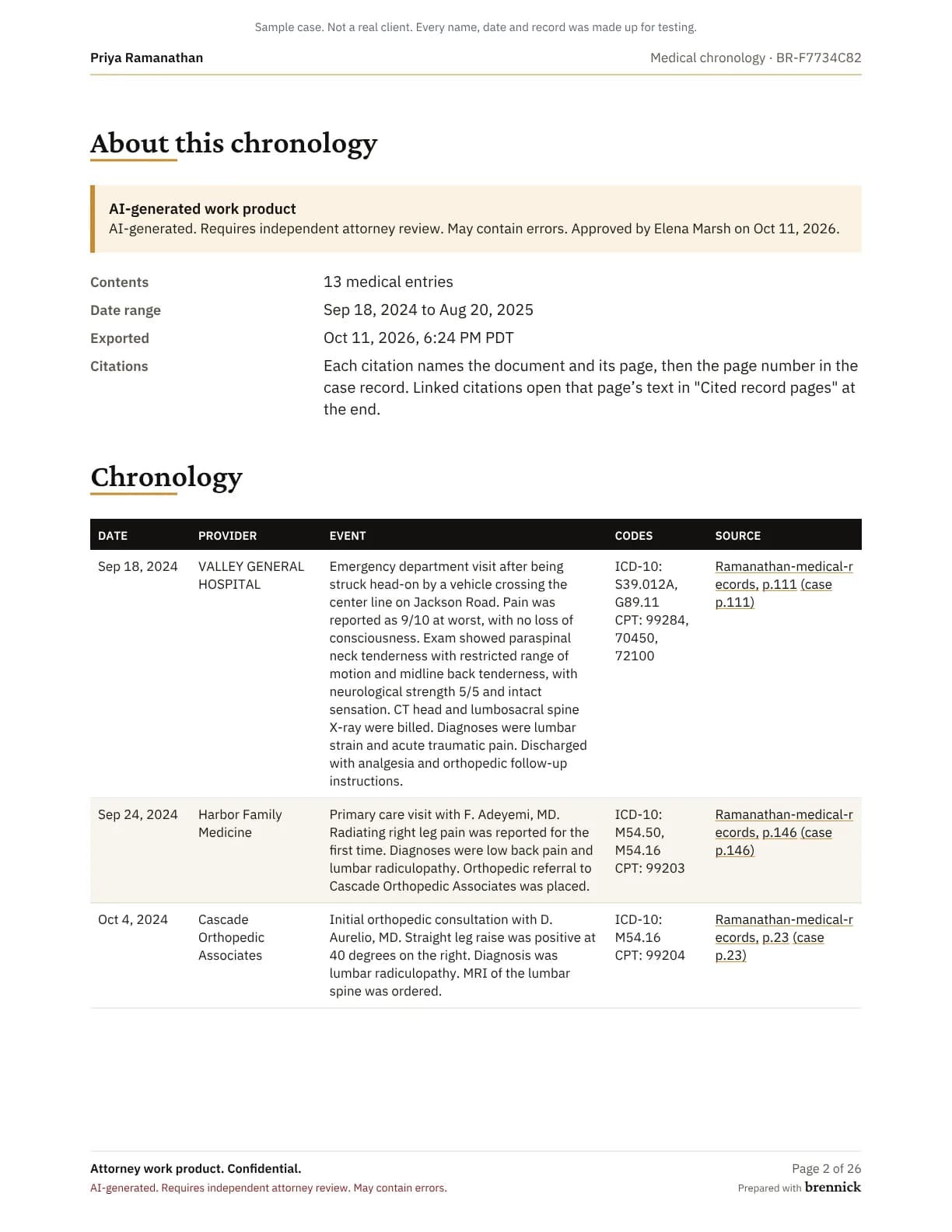
- This page01AI draftcited to pages
- 02Attorney reviewedit, approve or reject
- 03Approvedexport, demand, report
- 04Clientnever sees AI output
Who this is for
Paralegals and case managers who build medical chronologies by hand today, and the attorneys who check them, at personal injury and employment firms. The medical records requests guide covers getting the records in, and case timelines are on every plan (pricing).
The medical chronology
Visits, tests and procedures
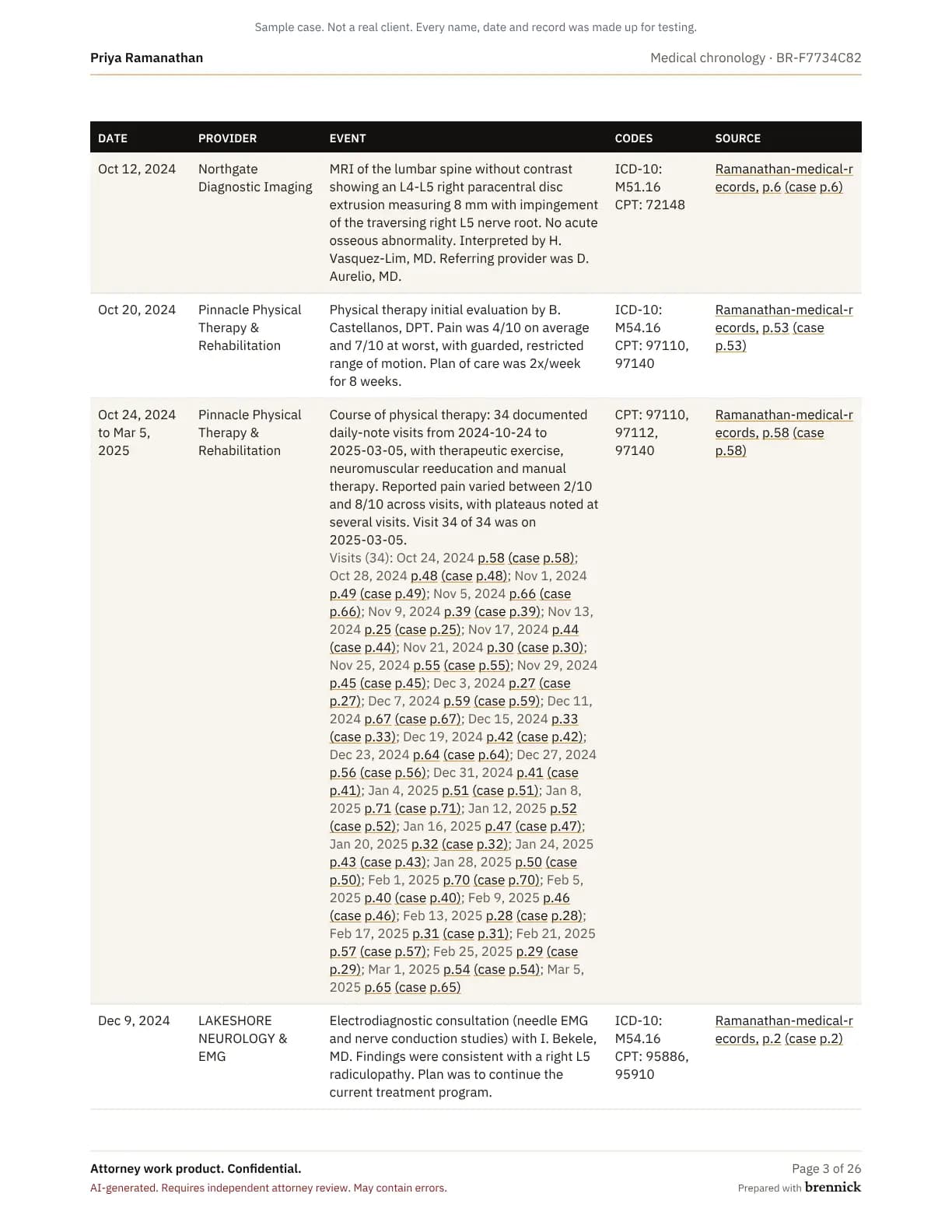
Each entry has a date, the provider, what happened, the diagnosis and procedure codes where the record gives them, and the page it rests on.
Courses of treatment
A run of therapy or chiropractic visits is one entry with every visit date listed under it, so the chronology stays readable without losing a date.
Each visit on its own page
A visit in a course cites its own page when its date is found on that page. When it is not, the visit cites the course page instead.
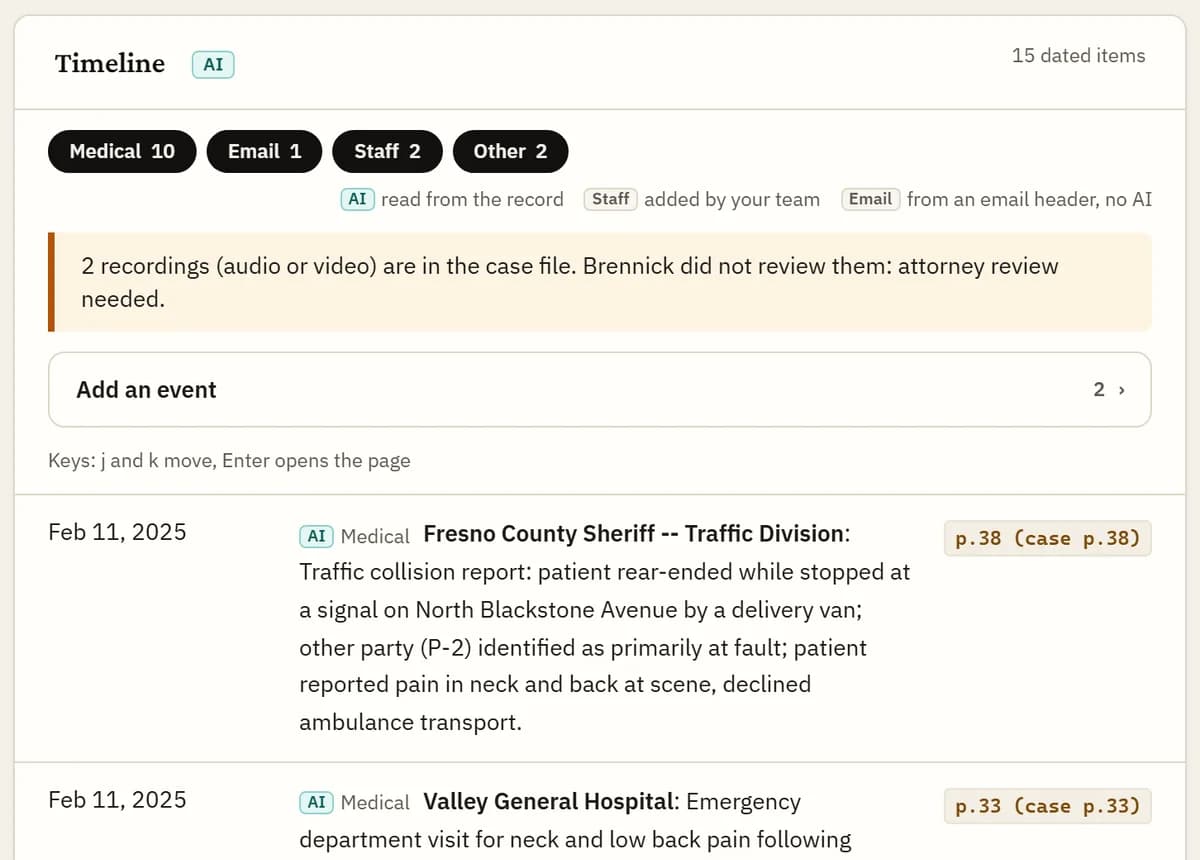
Treatment gaps
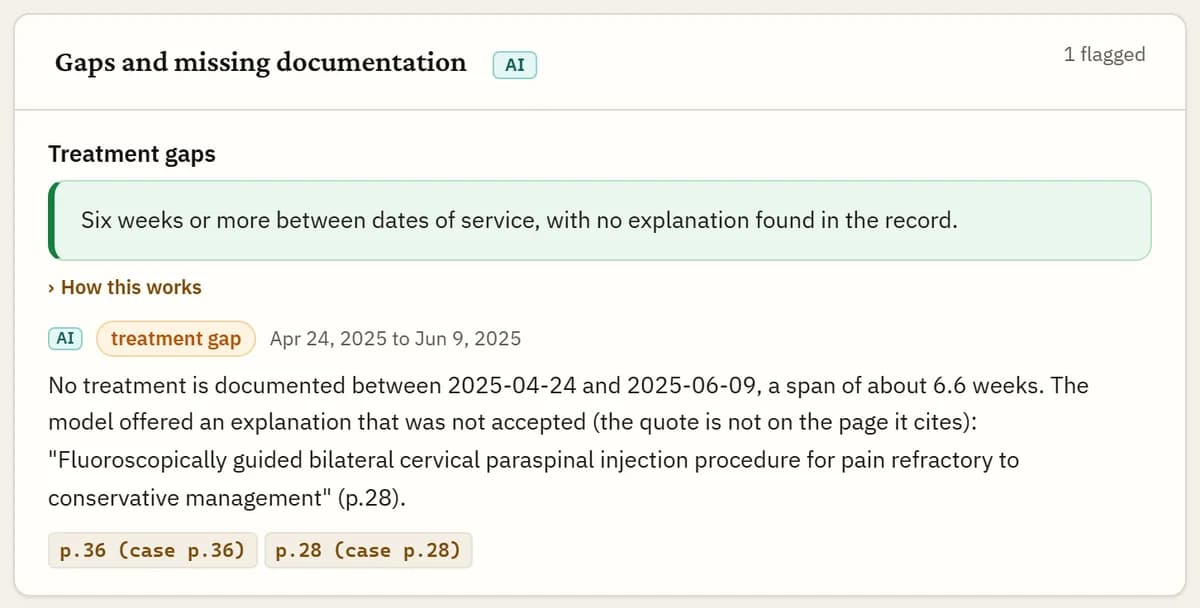
Code measures every stretch of six weeks or more between dates of treatment, including gaps inside a course of therapy. The model does not do the arithmetic. It only judges whether the record explains each gap.
To call a gap explained, the model must copy the words from the record that explain it, such as a scheduled surgery or an instruction to return in eight weeks. The quote is checked against the page, and a quote that is not there does not clear the gap. A gap called explained is listed under Dismissed gaps with its quote and page, and your attorney can restore it.
Missing records
Brennick looks for records the file refers to but does not contain.
Code finds these from the pages. The model judges each one, and it can clear one only by naming the page in the file that answers it.
- An ordered test with no result: an MRI, CT, X-ray, EMG, ultrasound, labs or neuropsychological testing ordered, and no page carrying the result.
- A referral with no record: a referral names a provider or a specialty, and no page comes from it.
- Records stated absent: a page says a record or report is not in the chart, was not received or is still awaited.
Events outside the medical records
Police and incident reports, employment and pay records, emails, letters, messages, insurer letters and filings become dated events beside the medical chronology. A police report or insurer letter inside a records file is found page by page and handled the same way.
Each event carries a short quote copied from its page, and code checks the quote is on that page. Every document is labelled by type and by who provided it, and your staff can change either label.
Emails add their date, sender and recipients as entries marked “From the email header”. Those are read from the header, not by AI.
Events your staff add, and records that come later
Your staff can add an event the records do not show, such as a phone call or a meeting. It is marked “Added by staff”, and it reaches the demand only when a licensed attorney ticks it.
Records added after approval are read on their own. Their events show as new since approval and wait for a licensed attorney to review them. The approved timeline is not changed.
Approval and export
Your attorney reviews the timeline, edits any entry, including its cited page, and approves the analysis. The original and every edit are kept in the audit log.
Only an approved chronology can be exported: PDF and Word with your firm’s name and logo on the cover, or CSV. Choose the medical chronology alone or the full case timeline. The export adds a providers table, the treatment gaps and the specials, added up from the bills in code.
PDF and Word chronologies end with a cited-pages appendix that prints the text of each cited page under its citation, so a reader can check an entry without opening the record.
Measured on known files
Checked against case files where every date and event was known in advance. The graders are code, not an AI.
- 97% of citations point to the right page
- Each timeline entry cites a page. A citation counts only when the cited page itself contains the fact.
- 97% of medical events found
- Every visit, test and procedure in the test files was known in advance. This is the share the timeline found.
- 99% of visits cited to their own page
- On 606 visits in files held back from development. When a visit page could not be confirmed, the visit cites its course page instead.
FAQs
Can my attorney change an entry?
Yes. Before approving, your attorney can edit any entry, its date, its text and its cited page, or remove it. The original is kept in the audit log.
Which formats can I export?
PDF and Word with your firm’s branding, or CSV, once an attorney has approved the analysis. Chronology exports include the cited-pages appendix by default.
Does it handle employment cases?
Yes. HR records, emails, messages, pay records and agency filings become dated, cited events in the same timeline.
What happens when the model calls a gap explained?
It must quote the record, and the quote is checked on its page. The gap is listed under Dismissed gaps with that quote, so your attorney sees the reason and can restore it.
Check a timeline against a file you know
3-day trial, 1 case, card required. Pick a case you have already worked up and compare.