Demand letters
A first demand letter draft, written the way your firm writes
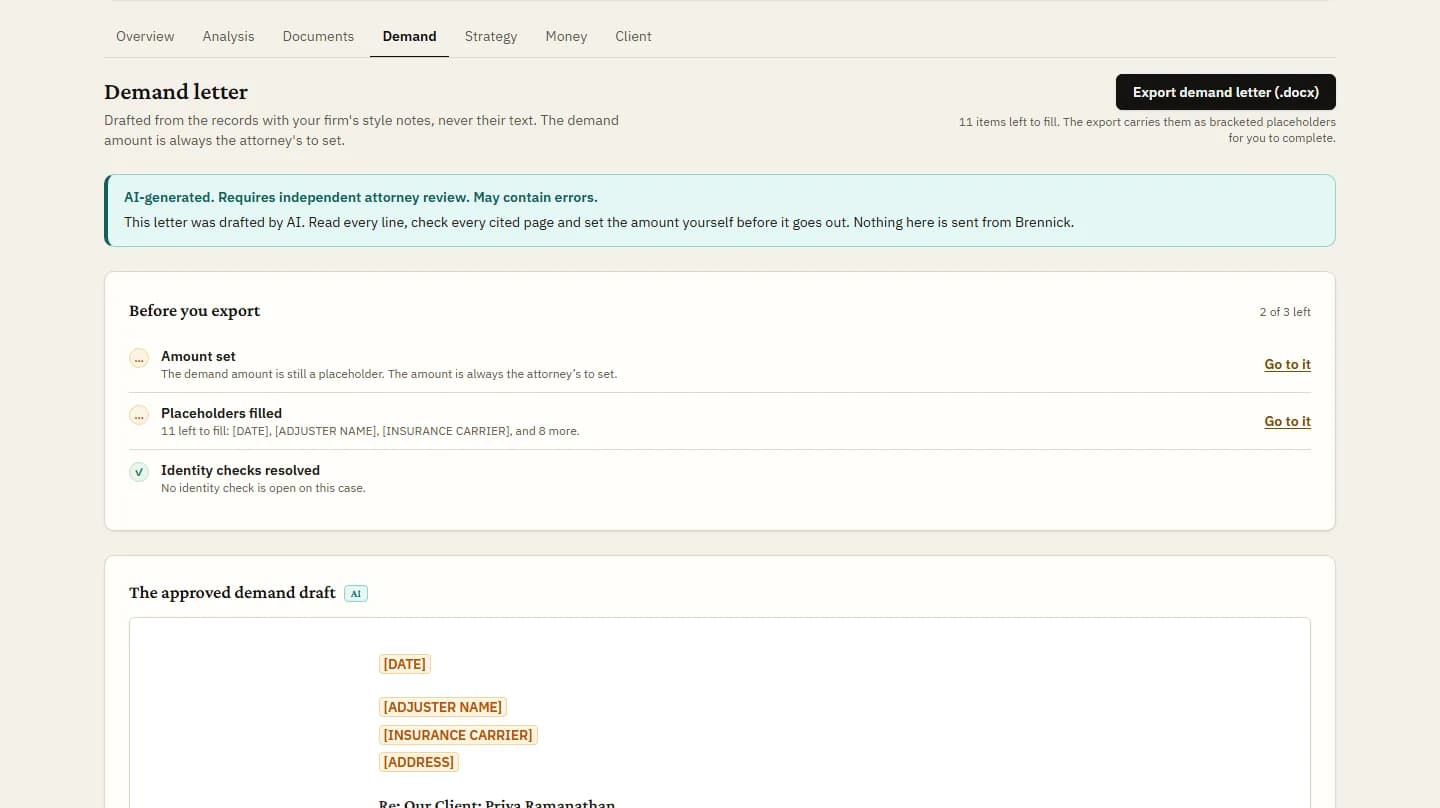
Brennick drafts the demand from the case timeline, cites each paragraph to its page and adds a specials table built from the bills. Your attorney sets the amount, finishes the letter and exports it.
- 01AI draftcited to pages
- 02Attorney reviewedit, approve or reject
- This page03Approvedexport, demand, report
- 04Clientnever sees AI output
Who this is for
Attorneys who write demands and the paralegals who assemble the specials, at personal injury firms, and employment attorneys drafting a demand from the case timeline. The medical records requests guide covers getting the bills and records the specials table is built from, and demand drafts are on every plan (pricing).
Your firm’s style, without another client’s facts
A firm admin uploads a few of your past demand letters. Brennick reads each one once and keeps notes on how your firm writes: tone, the order of sections, recurring phrasing with the facts taken out, and formatting. The drafter follows those notes on every new case.
The notes are checked in code before they are stored and again before they are used. A note that carries a name, a dollar figure, a date, a contact detail or a medical term is dropped, and a letter that yields mostly facts is refused whole. The sample letters themselves never reach a case.
Samples are PDFs with a text layer, Word (.docx) files or plain text. Scanned letters, older Word files (.doc) and Word files with macros are not read. A sample that mentions substance use disorder treatment is refused before any AI sees it.
Every fact from the record, every paragraph cited
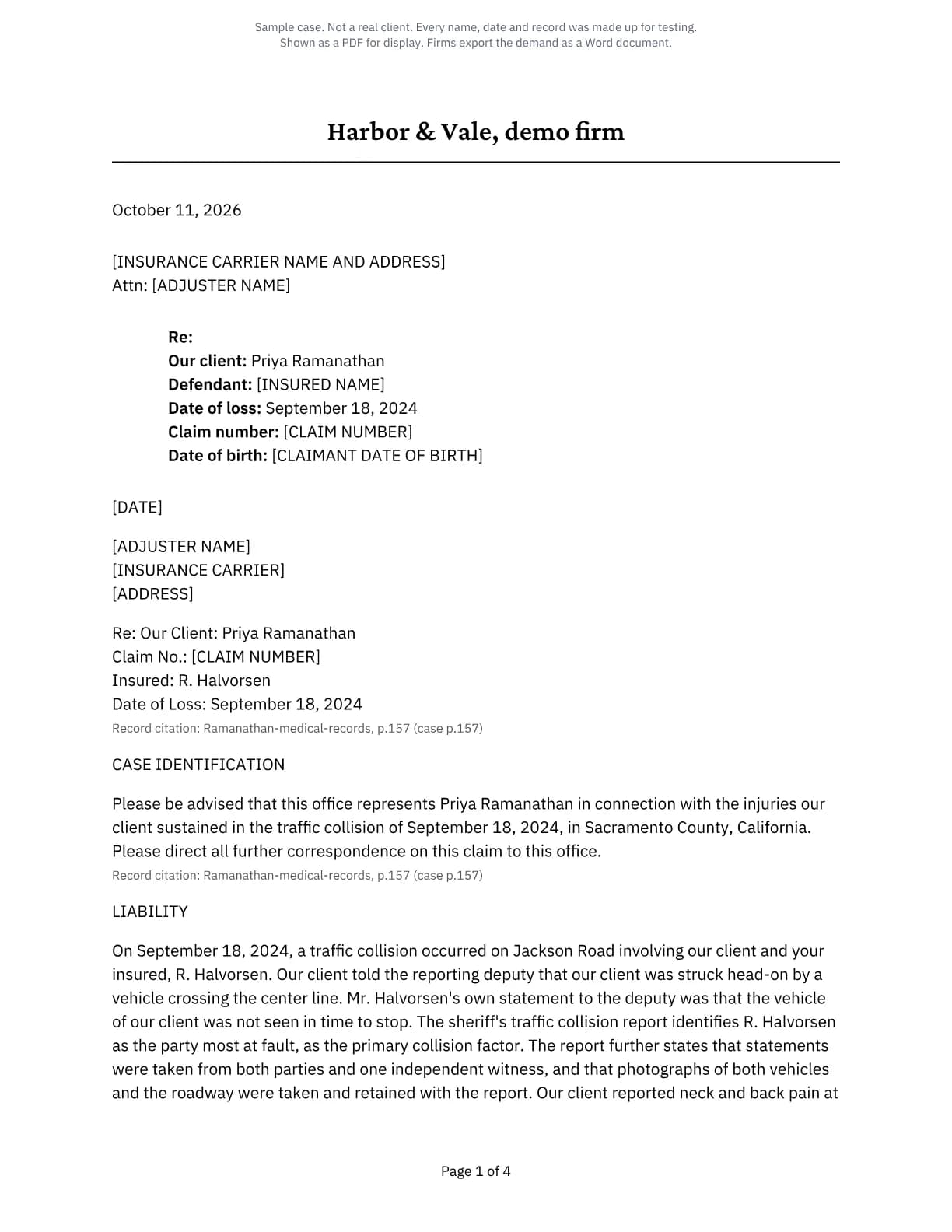
The draft tells liability, treatment, injuries and damages from the case timeline and nothing else. Each paragraph carries the pages it rests on. A page the timeline does not cite is removed from the draft, and anything the record does not supply, such as the adjuster’s name or a claim number, is left as a bracketed placeholder for you to fill.
The drafter is not given the internal strength assessment. That assessment is your attorney’s working note, and a letter to the other side is not written from it. It also never assumes your client’s gender.
An event your staff add to the timeline reaches the demand only when a licensed attorney ticks it, and it never carries a record page into the letter.
A specials table added up from the bills
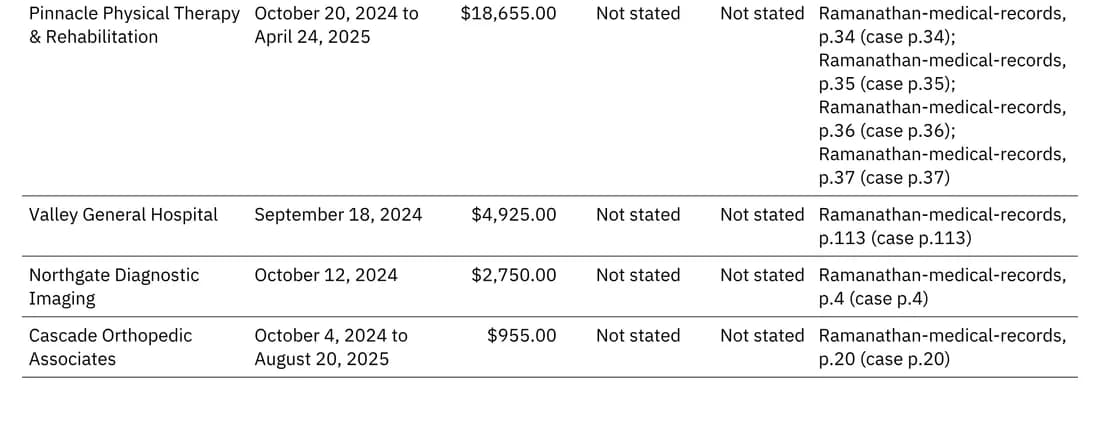
The export carries a table of medical specials built in code from the case’s charges ledger: billed, paid and balance for each provider, the dates of service, and the pages each figure came from. Every amount is one printed on its page, and the totals are added in code, not by a model.
A repeated bill is counted once, and a figure the bills do not state reads as not stated, never as zero.
What the drafter never sees
- The strength assessment. The demand is drafted from the record, not from a score.
- Your past letters’ facts. A sample letter gives style notes only, never its facts, names or figures.
- An amount. Your attorney sets the demand amount.
The amount is your attorney’s
Until an attorney sets a demand amount, the draft contains no dollar figure of any kind. Any figure the model writes is replaced in code with a placeholder before anyone sees the letter.
To set the amount, an attorney types it and asks for a redraft once the analysis is approved. A redraft happens only when an attorney asks for one, never on its own, and earlier drafts are kept. A damages figure appears only if an attorney approved it in a damages review.
Before you export
A checklist sits beside the Export button and jumps to whatever is left.
The server holds the export on its own gates, whatever the screen shows: the analysis is approved by an attorney, the person exporting is a licensed attorney, the Part 2 consent is recorded where it applies, and no identity check is open. A blocked export is written to the audit log, the same as one that goes through.
The file is a Word document with your letterhead, the cited specials table and the signature block, or plain text if you prefer. Brennick’s notes about the draft go on a separate working-copy page, never inside the letter.
- Amount set. Advisory: the export carries a missing amount as a bracketed placeholder.
- Placeholders filled. Advisory: the count of what is left shows under the button.
- Part 2 consent recorded. On a case designated under 42 CFR Part 2, export waits until an attorney records the client’s written consent naming the recipient.
- Identity checks resolved. Export waits while a check on the people the letter names is open, so a name from another case cannot slip into this one.
FAQs
Can the draft state a demand amount?
Only one your attorney typed. Without it, the letter carries a placeholder and no dollar figure of any kind.
What file do we get?
A Word document by default, with your letterhead and the cited specials table, or plain text. Your attorney finishes it and your firm sends it.
What if we upload no sample letters?
The draft follows the usual plaintiff structure: representation, liability, treatment, injuries and their permanency, damages, and the demand.
Does a redraft use one of our cases?
No. Drafts and redrafts never count against your included cases.
Read a cited draft on your own case
3-day trial, 1 case, card required. Run a case your firm has already demanded and set the two drafts side by side.