Intake and conflict checks
Law firm intake and conflict checks, before anyone decides
Clients fill in your own intake page, every party is checked against your other cases, and a licensed attorney accepts or declines. No AI reads a submission.
- This page01Case comes inintake or upload
- 02AI draftcited to pages
- 03Attorney reviewedit, approve or reject
- 04Approvedexport, demand, report
- 05Clientnever sees AI output
Who this is for
Intake coordinators, office managers and the attorneys who decide which cases to take, at personal injury and employment firms. The California personal injury deadlines guide lists the facts to collect on day one, and the intake page and conflict checks are on every plan (pricing).
Your own intake page
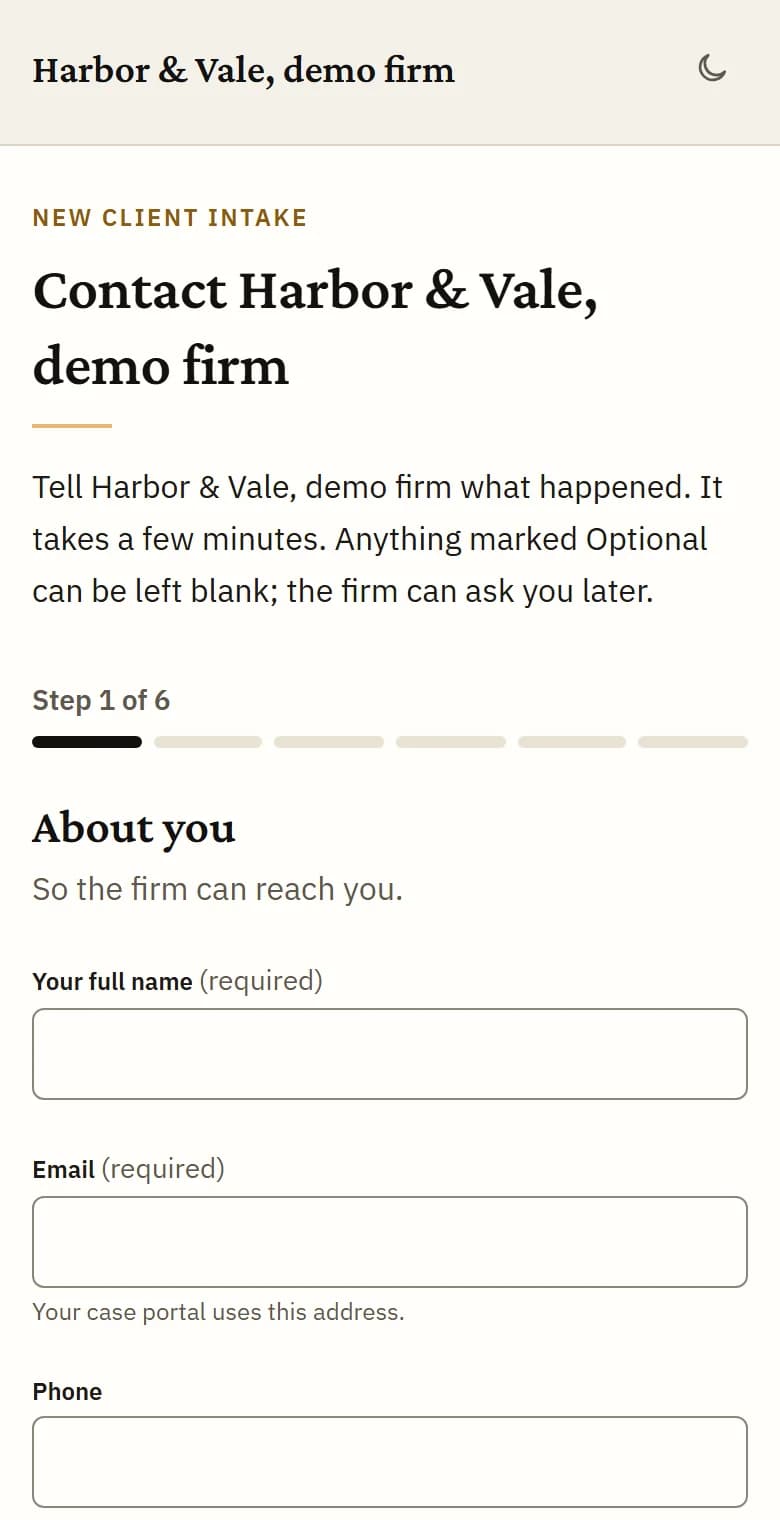
Every firm gets its own intake page with your name at the top. Link it from your website, paste the button snippet from Settings or print the QR code.
The client says what happened, who was involved and how to reach them, attaches documents and gives consent before sending. The page works on a phone, and at the end the client can make a portal account to follow the case.
Each visitor is checked for bots, and repeated submissions from one address are limited.
No AI reads a submission
Intake is a form. No model reads what a client writes or uploads, so nothing at intake can tell anyone what a case is worth or how strong it is. Uploaded files wait, untouched, until your firm accepts the case or chooses to analyze it before deciding.
In place of AI, a fixed pattern check flags wording a person at your firm should see the same day: a death, a minor, someone already represented, a request for advice or a valuation, an incident more than a year old, a criminal case, substance use treatment records, or a government body.
The government-defendant question
Every intake, and every case your staff open, asks whether the person or organization responsible was part of the government, with “Not sure” as an answer. Claims against a public body often run on a different, shorter clock.
A yes or a not sure means Brennick calculates no statute of limitations date for that case, and your attorney enters it. If an attorney later marks a party as a public entity, any date Brennick had calculated is cleared and the attorneys are told.
Conflict checks against every party
When a case comes in, every party named on it, your client included, is compared with every party on your firm’s other cases. Names are normalized first, so punctuation and suffixes such as Jr. or M.D. do not hide a match, and near spellings are caught by similarity. A firm admin sets how close a name must be.
A possible match waits for a person, who marks it a real conflict or not a conflict. Adding a party later runs the check again. Each firm’s parties are checked only against its own cases.

A licensed attorney decides
A submission lands in your case list as a new submission, and your admins and attorneys are emailed at once. A licensed attorney accepts or declines it.
To see the records first, any staff member can choose Analyze before deciding, after a confirm step that says it uses one of your firm’s cases this month.
A case counts when your firm accepts it or chooses to analyze it before deciding, and only if its analysis completes. Submissions you decline never count, and re-running a case or adding records to it never counts again.
Cases that start somewhere else
Your staff can open a case by hand and add the file, with the same consent, 42 CFR Part 2 and government-defendant questions and the same conflict check. Nothing is analyzed unless they tick “Start the analysis now” or your firm accepts the case.
On Brief and above, a case can also be imported from a Clio matter with the documents you choose.
Plans
The intake page and conflict checks are included on every plan. Importing a case from Clio is on Brief, Docket and Enterprise.
See pricingFAQs
Does a submission use one of our cases?
No. A case counts only when your firm accepts it or chooses to analyze it before deciding, and only once its analysis completes.
Can a client send records with the intake?
Yes: PDFs, photos, Word files, email and more. Nothing reads them until your firm decides.
Who can resolve a possible conflict?
Any staff member can mark a match as a real conflict or not a conflict. Accepting the case is still a licensed attorney’s decision.
Can we change how close a name match must be?
Yes. A firm admin sets it in Settings, on the intake page settings.
Put your intake page on your website
3-day trial, 1 case, card required. Send a test submission through your own page and watch the conflict check run.